
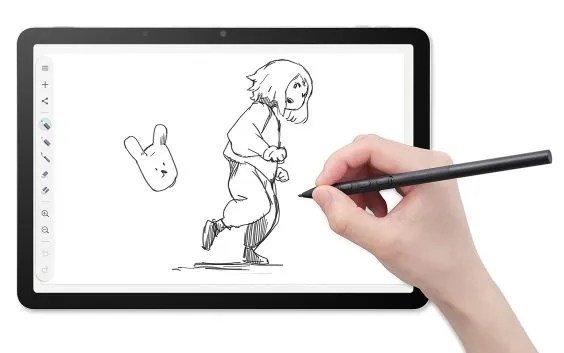



Since the dawn of the internet, a dedicated community of digital artists has redefined how we create through computing. Wacom, a Japanese industry leader founded in 1983, remains at the forefront of this evolution. As one of the world’s oldest manufacturers of graphics tablets, the company has spent years refining its MovinkPad series—an Android-based tablet designed to bring digital art to life with the simple swipe of a stylus.
As a tech enthusiast rather than a professional artist, I wanted to see how a newcomer could leverage a device like the MovinkPad 11. Wacom provided the unit for this review, offering a look at the foundational model of their current lineup.
Positioning and Price
While the MovinkPad 11 is not the newest release—that title belongs to the OLED-equipped MovinkPad Pro 14—it serves as an accessible entry point. At $500, it occupies a strategic middle ground. It is more sophisticated than budget-tier tablets like the Huion Inspiroy H640P, yet significantly more affordable than the Cintiq Pro 27 ($3,500) or a high-end iPad.
For those unfamiliar with the digital art community, the appeal lies in the unique creative experience that traditional paper and pencil cannot replicate. From graphic designers and animators to video game artists, professionals and hobbyists alike use these tools to bridge the gap between conceptualization and final production.
Specs and setup
The MovinkPad 11 features an 11.45-inch display, 8GB of memory, and 128GB of storage. It is remarkably portable, weighing just 1.3 pounds, and operates via a battery-free USB power system.
The device includes the Pro Pen 3, a 6.3-inch stylus featuring three programmable side buttons. The pen feels natural, akin to a fine-tipped felt pen, and users can customize their experience with various replacement nib packs.
Setup is straightforward, though the device requires a PIN for security. This can be easily adjusted or disabled via Settings > Security > Privacy. As an Android device, it integrates seamlessly with Google accounts, simplifying the workflow for those already embedded in the Google ecosystem.
Software and usability
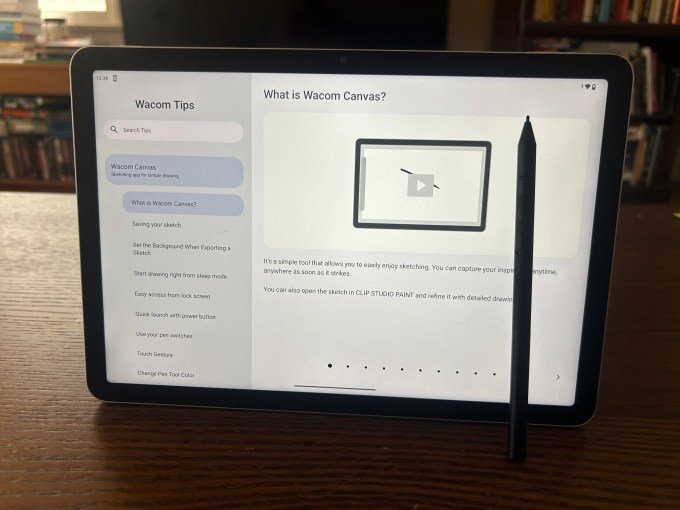
Wacom includes its own free Wacom Canvas software, which provides the essential tools for digital sketching. For more advanced needs, users can opt for Clip Studio Paint, which offers a vast array of brushes and professional-grade features.
While the tablet faces a long list of competitors—including the iPad with its vast app library and Apple Pencil—the MovinkPad 11 offers a more focused, purpose-built solution from a brand with deep roots in the graphics industry.
After spending a weekend with the device, it is clear that the MovinkPad 11 is a genuinely enjoyable tool. Whether you are a budding artist or simply looking for a new way to spend an afternoon, it provides an accessible and capable creative outlet.



Leave a Reply